OmniSync

Development. Unified.

Launch, sync, and diagnose all your projects from one desktop dashboard.

OmniSync workspace dashboard with file tree, editor, and git timeline

Five views

Workspace, Git Sync, Diagnostics, Timeline, and Settings.

Three-pane merge

Resolve conflicts with yours, theirs, and the result.

Live terminal

Diagnostics, git, runner output, and manual commands.

Keychain secure

Credentials encrypted in the OS keychain.

Launcher

Pick a project. Launch in seconds.

On first launch, OmniSync walks you through GitHub OAuth or token login, then lets you clone a remote repository or register an existing local folder as a workspace profile.

  • Multi-workspace profiles with one-click switching
  • Clone from GitHub or point at a local folder
  • Detect and install Node.js, Git, and GitHub CLI when missing
  • Encrypted credential storage via the OS keychain
OmniSync workspace launcher with project selection

Workspace

Browse, edit, and review without leaving the dashboard.

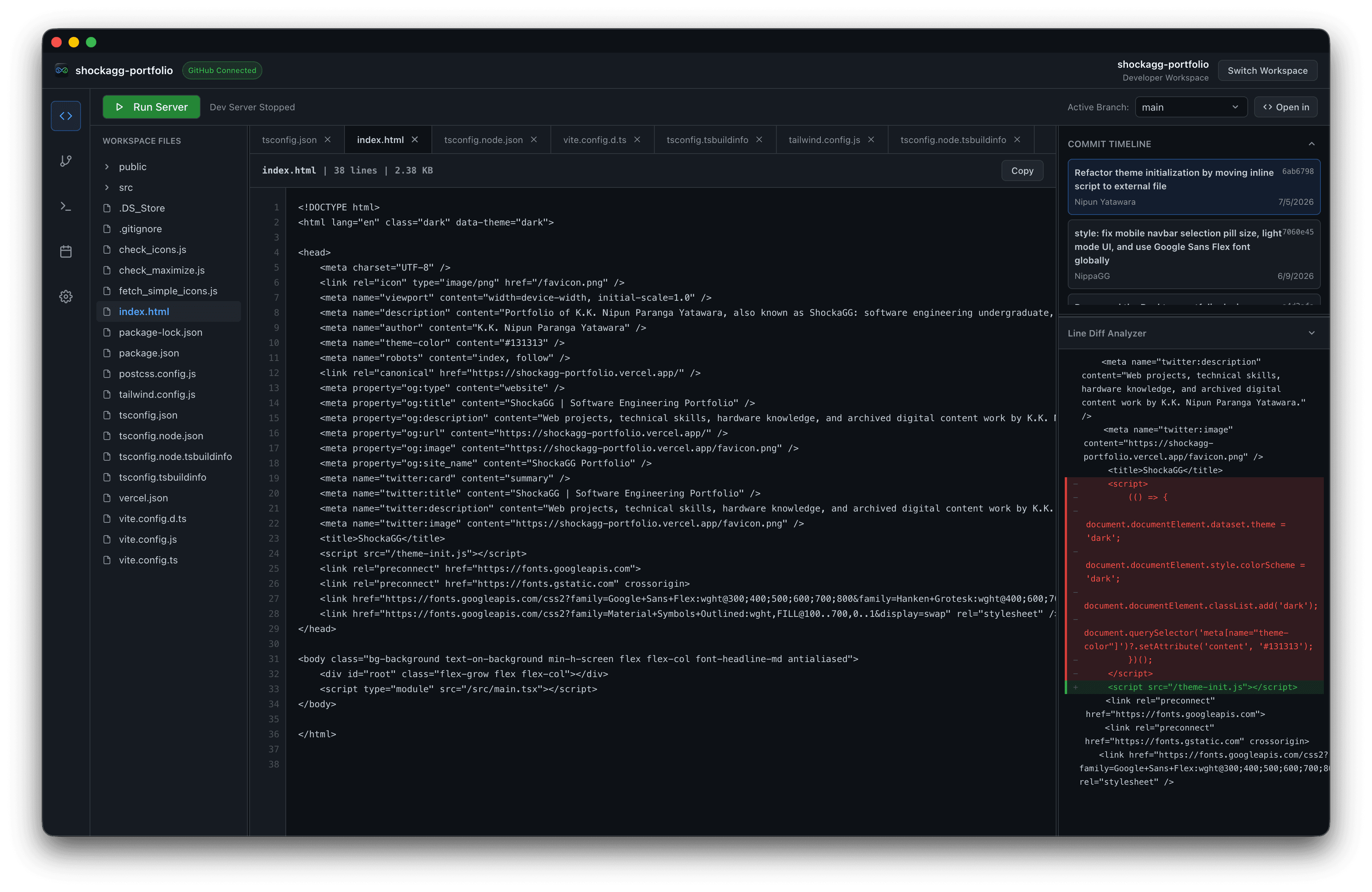
A live-scanned file tree, tabbed editor with Markdown and image previews, resizable panels, a commit timeline with per-file diffs, and a dashboard terminal for diagnostics, git, and runner output.

  • Virtualized file tree built for large repositories
  • Markdown rendering and image previews in the viewer
  • Live dashboard terminal with manual command entry
  • Commit timeline and line diff analyzer in the right column
OmniSync workspace with file tree, code editor, and git timeline

Git Sync

Stay oriented relative to your remote.

List local and remote-tracking branches after clone, check out tracking branches, see commits ahead and behind upstream, and resolve merge conflicts with an interactive three-pane editor.

  • Remote branches available in pickers after clone
  • Collaboration feed tags commits with every branch that contains them
  • Ahead and behind counters for every branch
  • Three-pane resolver: accept blocks to build the resolved file
OmniSync Git collaboration workspace with branch sync controls

Diagnostics

Know your environment is ready to run.

The diagnostics scanner verifies Node.js against package.json engines, inventories installed and missing packages, audits git health, and surfaces GitHub Releases and Deployments when the linked repo has them.

  • Node.js version vs. engines.node compatibility
  • Clickable dependencies tile with installed and missing packages
  • GitHub Releases and Deployments in project specifications
  • Live terminal stream for repair and install output
OmniSync environment diagnostics with repair console

Timeline

See your repository history at a glance.

A contribution heatmap on the Timeline view maps commits, merges, and pushes across yearly, monthly, and daily views. Click any cell to drill into the details.

  • Yearly contribution heatmap
  • Monthly calendar with per-day commit counts
  • Timeline activity details for selected dates
  • Month performance stats at a glance
OmniSync repository commit timeline calendar

Everything you need.
Nothing you don't.

OmniSync orchestrates your environment. It doesn't replace your editor. It sits alongside the tools you already use.

Multi-workspace profiles

Switch between repositories in one click. Clone from GitHub or register an existing local folder.

Integrated dev runner

Start, stop, and monitor servers with a live dashboard terminal, then launch in browser, Electron, or your IDE.

Three-pane conflict resolver

When merge conflicts appear, resolve them interactively with yours, theirs, and the result side by side.

Environment diagnostics

Check Node engines, installed vs missing packages, git health, plus GitHub Releases and Deployments when available.

Remote-aware Git sync

List local and remote-tracking branches after clone, check out tracking branches, and tag commits across every branch that contains them.

Tooling setup prompt

Missing Node.js, Git, or GitHub CLI? OmniSync detects gaps and can install them from the app.

Why OmniSync?

A workspace hub that goes beyond GitHub Desktop: sync, diagnose, run, and launch from one place.

OmniSyncGitHub Desktop
Multi-workspace desktop dashboardYes-
Local + remote branches with tracking checkoutYesLimited
Commits tagged across every containing branchYes-
Three-pane merge conflict resolverYes-
Environment & dependency diagnosticsYes-
Built-in terminal and dev server runnerYes-
Launch in browser, Electron, Xcode, or IDEYes-
Contribution heatmap timelineYes-
Setup prompt for Node, Git, GitHub CLIYes-
Encrypted OS keychain credentialsYesYes